Offline-First Mobile Architecture: The Sync and Conflict Decision That Decides Whether Your App Works Where Your Users Actually Are
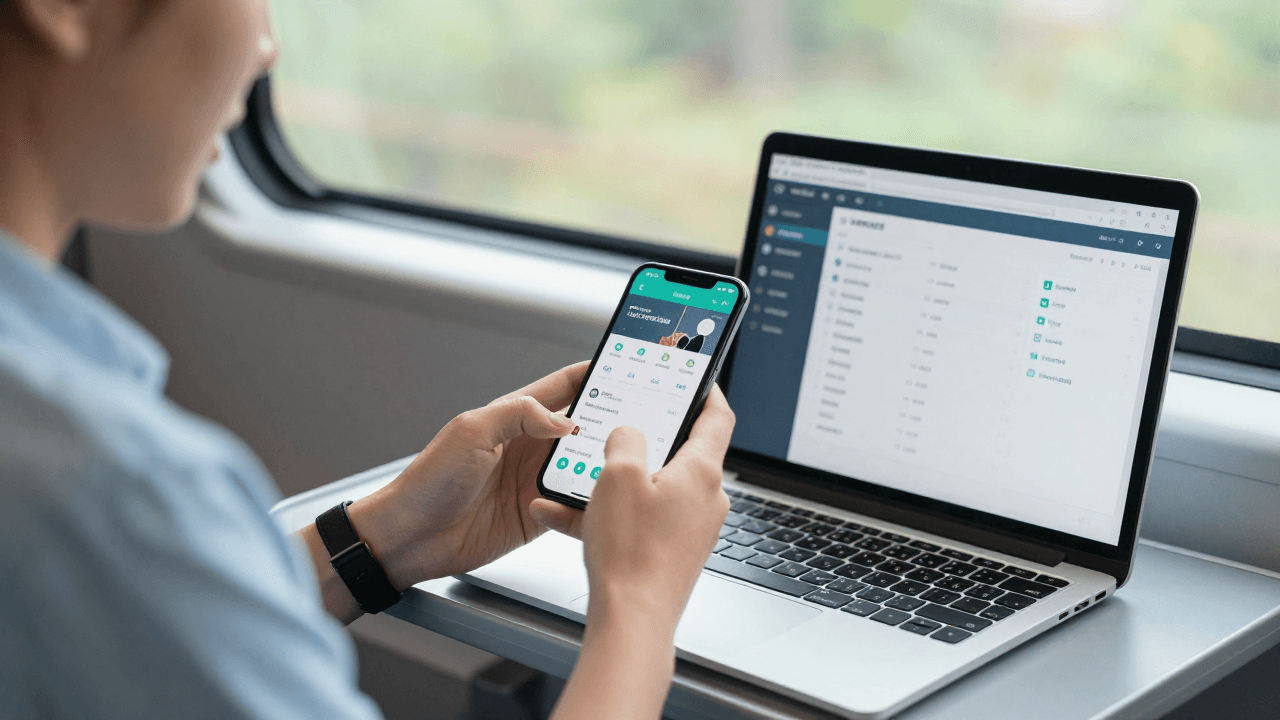
Your sales team is on a train, a field technician is in a basement, a customer is in an airport terminal with one bar of signal. Each of them opens your mobile app and watches a spinner. Nobody files a bug, because the app "works" — it just does not work here. At AEGONTECH LLC we see this pattern in almost every mobile engagement: the app was designed for the office Wi-Fi it was tested on, not for the places people actually use it.
Key Takeaways
- Offline-first means the app reads and writes to a local database first and syncs in the background — the network becomes an optimization, not a requirement.
- The hard part is not storage; it is conflict resolution: deciding what happens when two devices edit the same record while disconnected.
- A sync design chosen late typically costs 3-5x more than one chosen at the start, because every screen has to be reworked.
- Not every app needs it. A read-heavy dashboard needs caching; a field-service or media app needs true offline-first.
- Decide your conflict policy per data type, not once for the whole app.

What does "offline-first" actually mean?
Offline-first is an architecture in which the app treats the local device database as the source of truth for the user interface and treats the server as a sync partner rather than a dependency. Every read comes from local storage; every write lands locally first and is queued for upload.
This differs from simple caching. A cache stores copies of server responses so screens load faster, but writes still fail without a connection. Offline-first apps let users create, edit and delete data with no signal at all, then reconcile later. Google's own research on mobile performance has long shown that over half of mobile visits are abandoned when a page takes longer than three seconds to load — and a request that never completes is the extreme version of that problem.
Do you really need offline-first, or just better caching?
You need offline-first when users create or modify data in places with unreliable connectivity; you need only caching when they mostly read data. This single question saves most teams from over-building.
A practical test we use with clients:
- Read-heavy, tolerant of stale data (reports, catalogs, dashboards): cache aggressively, show "last updated" timestamps, done.
- Write-heavy in the field (inspections, orders, notes, time tracking): offline-first is the only design that does not lose work.
- Media consumption (streaming, downloads): offline-first for the library metadata and downloads, but not for live content. Our work on the Maximus IPTV Player taught us that offline behavior for a media app is mostly about graceful degradation of the catalog, not about syncing edits.
Quotable rule: an app that loses a user's work because of a dropped connection has a data-integrity bug, not a connectivity problem.
How does the local-first data flow work?
The flow has four parts: a local database, a write queue, a sync engine, and a server API that accepts batched changes. The UI only ever talks to the first one.
- Local database. SQLite is the workhorse on both iOS and Android, wrapped by Room, Core Data, WatermelonDB, or a cross-platform layer in React Native or Flutter. Realm and similar object stores are alternatives.
- Write queue (outbox). Every change is stored as an operation — "create order 42", "update note 7 title" — with a unique ID and timestamp, so it can be retried safely.
- Sync engine. A background worker pushes the outbox when connectivity returns and pulls changes since a stored cursor or version token.
- Server API. It accepts batches, applies them idempotently (the same operation sent twice has the same effect as once), and returns the changes the device missed.
Idempotency is non-negotiable. Mobile networks drop responses after the server has already processed a request, so retries are guaranteed. Without idempotency keys, a retry becomes a duplicate order.
What happens when two devices edit the same record? (Conflict resolution)
Conflicts are inevitable the moment two devices can write while disconnected, and you must pick an explicit policy because the framework will not pick a good one for you. There are three mainstream options.
| Strategy | How it works | Best for | Risk | |---|---|---|---| | Last-write-wins | Newest timestamp overwrites | Settings, preferences, profile fields | Silently discards edits; clock skew | | Field-level merge | Merge non-overlapping field changes | Records with many independent fields | Needs per-field versioning | | CRDTs / operational merge | Mathematically mergeable data types | Collaborative text, counters, lists | Higher complexity and storage | | Manual resolution | Ask the user | Legal, financial, clinical records | Interrupts the user |
Last-write-wins versus merge is the most common comparison we are asked to settle. Last-write-wins is simple but lossy: if a technician and a dispatcher both edit a job, one edit vanishes. Field-level merge keeps both edits when they touch different fields, and it handles roughly 90% of real-world conflicts in business apps because most concurrent edits do not actually overlap.
Our guidance: choose the conflict policy per entity, not per app. A user's notification setting can be last-write-wins; an invoice should never be.
How do you handle the data you must not sync?
Some data should never live offline, and recognizing it early prevents a security review from killing your design. Local databases on a lost phone are a real risk: the OWASP Mobile Application Security Verification Standard calls for encrypting sensitive data at rest and tying keys to the device keystore.
Practical rules:
- Encrypt the local database (SQLCipher or platform-level file protection).
- Sync only the records a user is authorized to see, not the whole tenant's data.
- Support remote wipe or token revocation, so a stolen device stops syncing and local data expires.
- Set a maximum offline window — for example, 14 days — after which the app requires a fresh login.
For compliance-sensitive clients working toward SOC 2, these controls are also the evidence auditors ask for.
How do you test an offline-first app?
You test it by simulating bad networks deliberately, because the happy path will pass every time. Our checklist at AEGONTECH:
- Airplane mode mid-write, then reconnect.
- Kill the app during a sync, then relaunch.
- Two devices editing the same record, then syncing in both orders.
- Clock set wrong on one device.
- Server returning 500 on every third request.
- A 50,000-record initial sync on a throttled 3G profile.
Teams that automate these scenarios in CI catch the majority of sync bugs before release. Teams that do not typically discover them through support tickets, which cost far more to fix than a failing test.
What does this look like in a real product?
In our own products, the pressure shows up differently. Mimicall.app and Dolfy.ai depend on the server for their core value, so we invested in clean retry behavior and clear connection-state messaging rather than full local-first sync. For client field-service work, we went further: a local SQLite store, an outbox, and field-level merge. Same company, same engineers, different architecture — because the use case dictated it.
That is the real lesson. Offline capability is a product decision first and a technical decision second. Ask what a user is doing when the signal drops, and what it costs them if the app stops.
FAQ
Is offline-first more expensive to build?
Yes, typically 20-40% more effort on the data layer, mostly for sync and conflict handling. It is far cheaper than retrofitting, which touches every screen.
Can I add offline support to an existing app later?
Often, but it is the hardest way. You usually need to introduce a local database and move every screen to read from it. Plan it as a staged migration, starting with the highest-value workflow.
Should I build the sync engine myself or use a service?
For simple needs, a managed sync layer or an open-source library saves months. Build your own only when conflict rules are domain-specific enough that a generic engine cannot express them.
Does offline-first work for web apps too?
Yes. Service workers and IndexedDB give progressive web apps similar capabilities, with the same conflict-resolution questions.
Build for the place your users actually are
Connectivity is not a binary. It is a spectrum your users cross dozens of times a day, and your app should feel the same at every point on it. If you are weighing an offline-first design — or struggling with a mobile app that falls apart outside the office — the team at AEGONTECH LLC is happy to review your architecture and share what has worked across our own products and client engagements. Visit aegontech.dev to book a consultation.